Stop being the one everyone asks
Hemily is a family organiser for the people you live with. The calendar, the shopping list, the chat and who’s home, on every phone and in the browser.
- iPhone, Android and web
- No ads
- Database in Sweden (EU)
- 13 languages
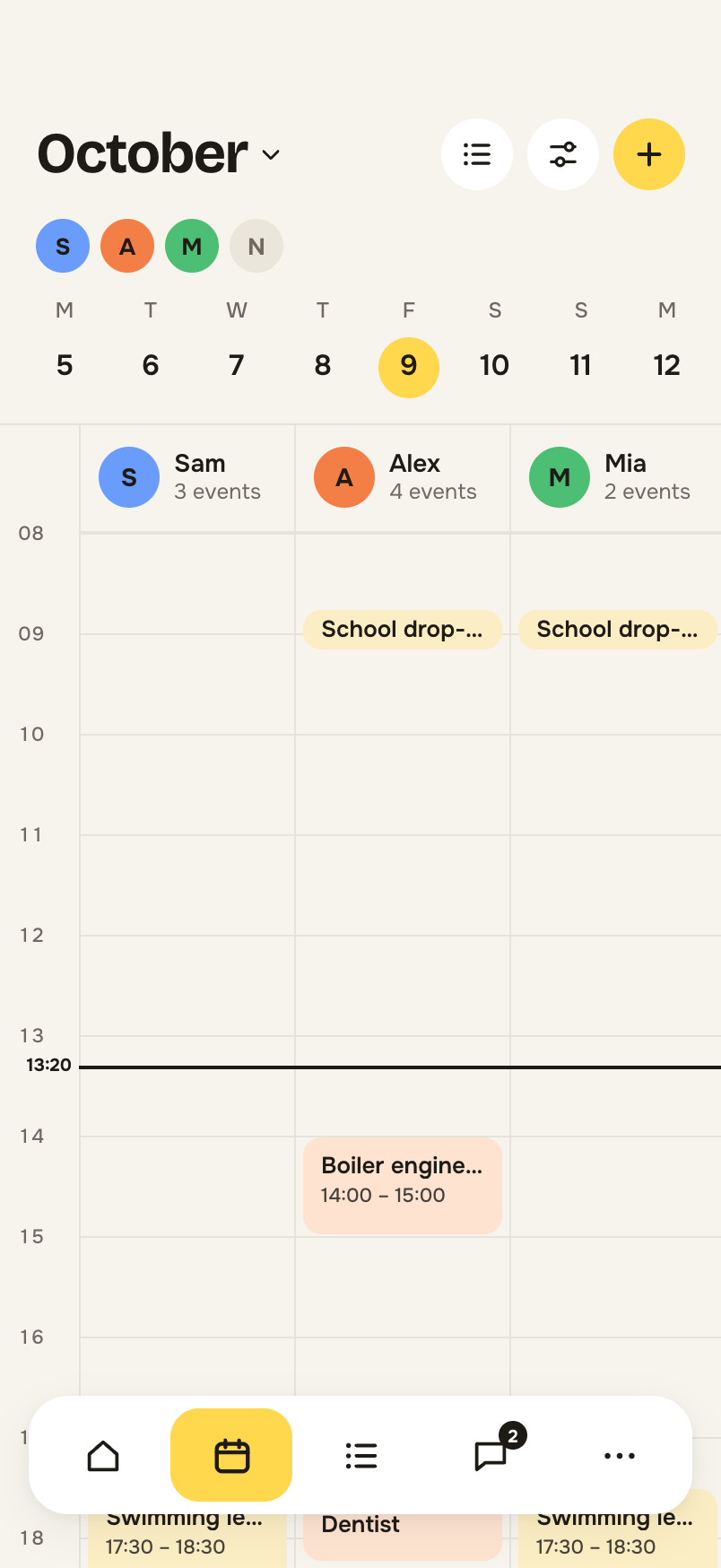
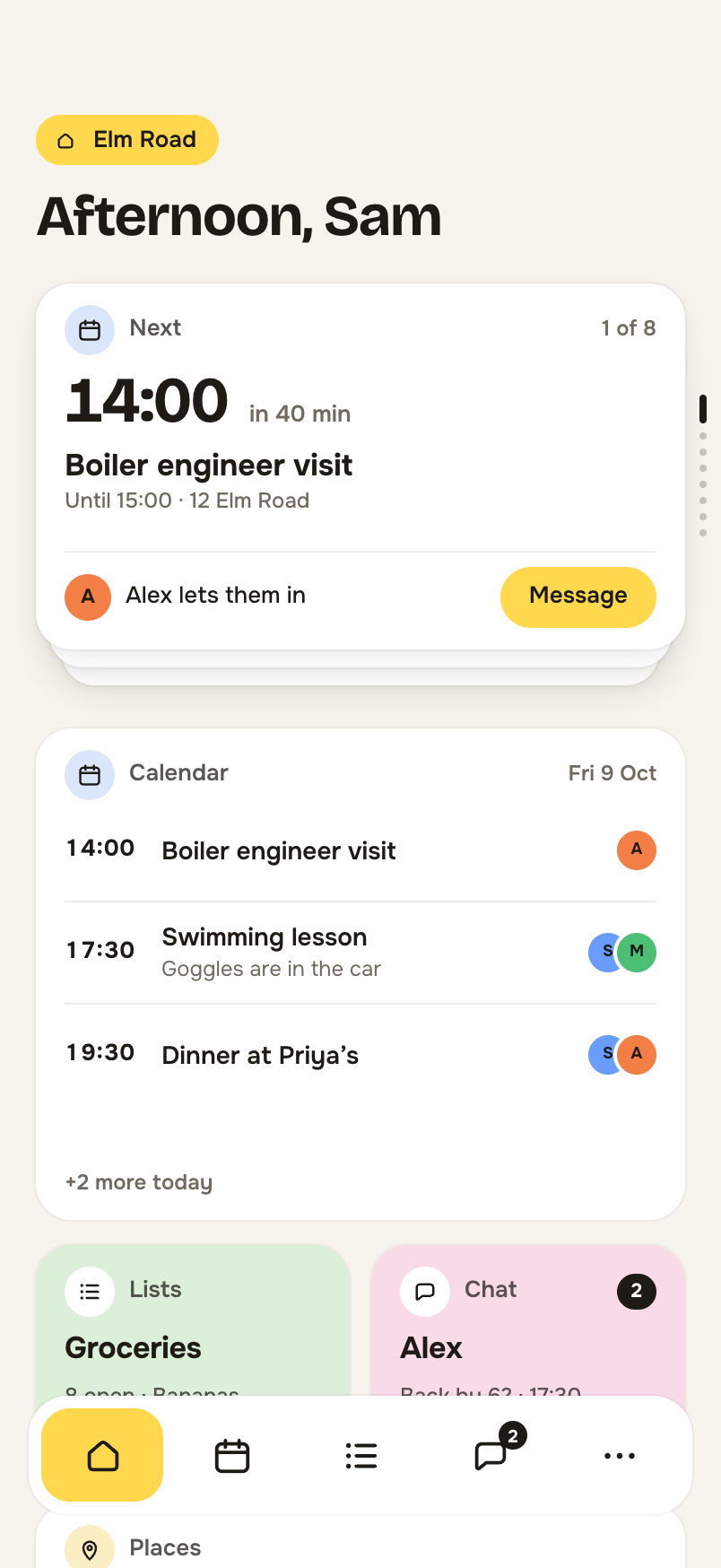
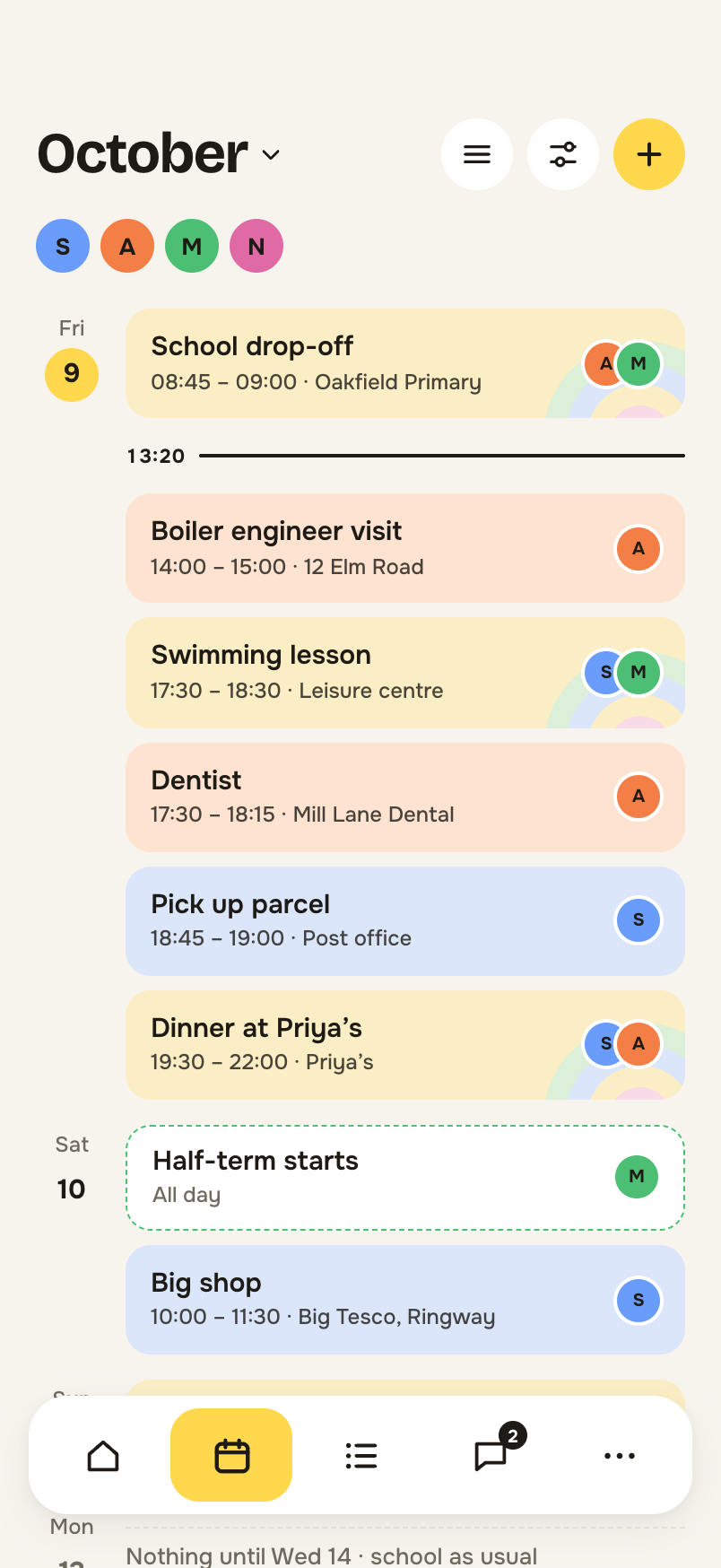
One Tuesday at Elm Road.
Milk, a lift home, the bins. Give the small things somewhere everyone can find them.
The answer stays with the task
See who ticked off the milk and when. Give a chore to someone before the evening gets away.
Each person gets their own front page
Arrange Today around the lists, calendar and other cards you use. Everyone shares the information; your arrangement is yours.
- 07:40Alex added milk to Groceries
- 08:10Sam added Thursday’s school pick-up
- 12:25Mia ticked off milk
- 16:30Alex shared live location for 15 minutes
- 18:05Sam on the walkie-talkie: “Dinner’s ready”
- 20:15Sam ticked off the bins
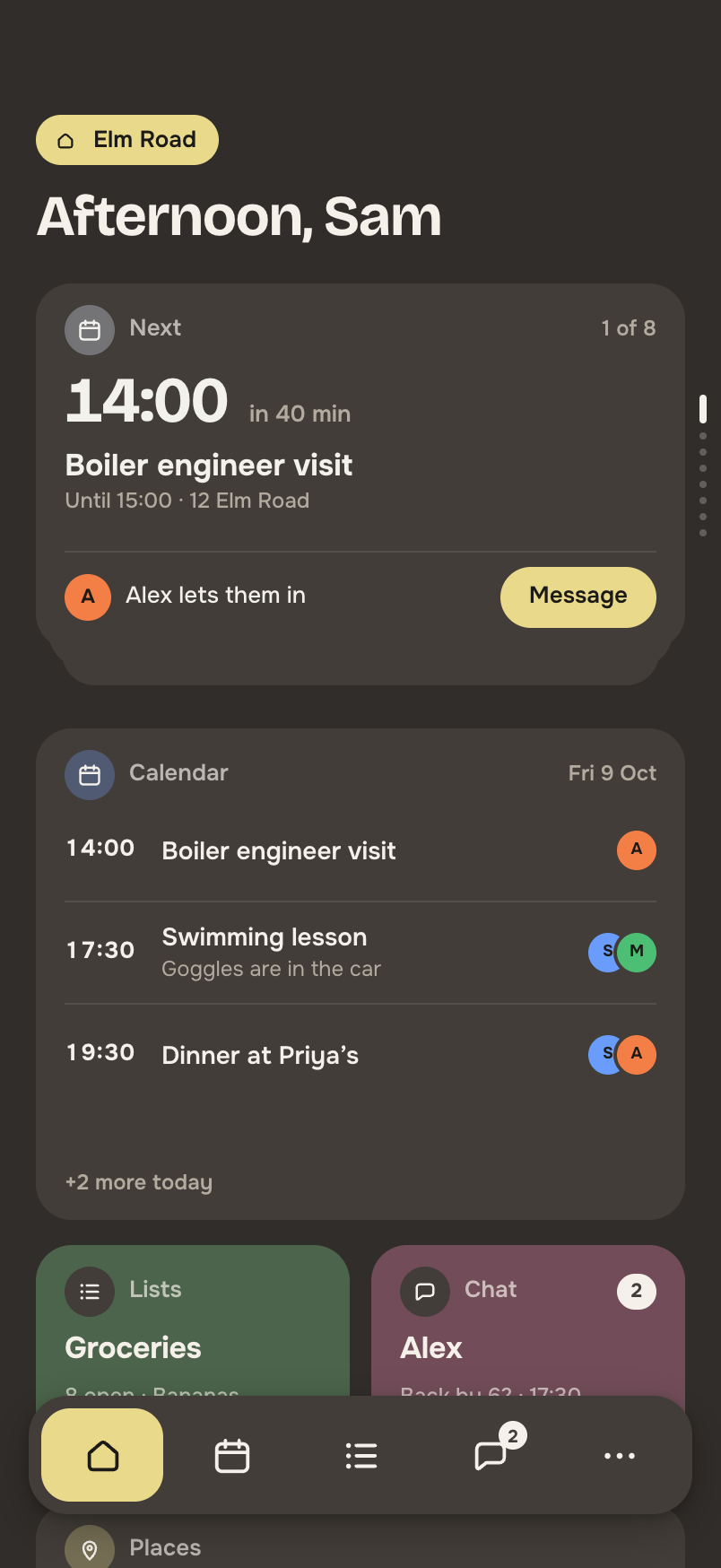
Everyone’s week in one calendar.
One household calendar, each person in their own colour. Put people on an event and its reminder goes to them.
Bring in the calendars you already use
Share events from the calendars on your phone. It’s one way: Hemily never changes your phone’s calendars, and each household sees the titles or just “Busy”.
Repeats, reminders and a place
Swimming every Thursday at five, a reminder before it, the leisure centre saved as the place. School sent a calendar file? Import it as a copy.
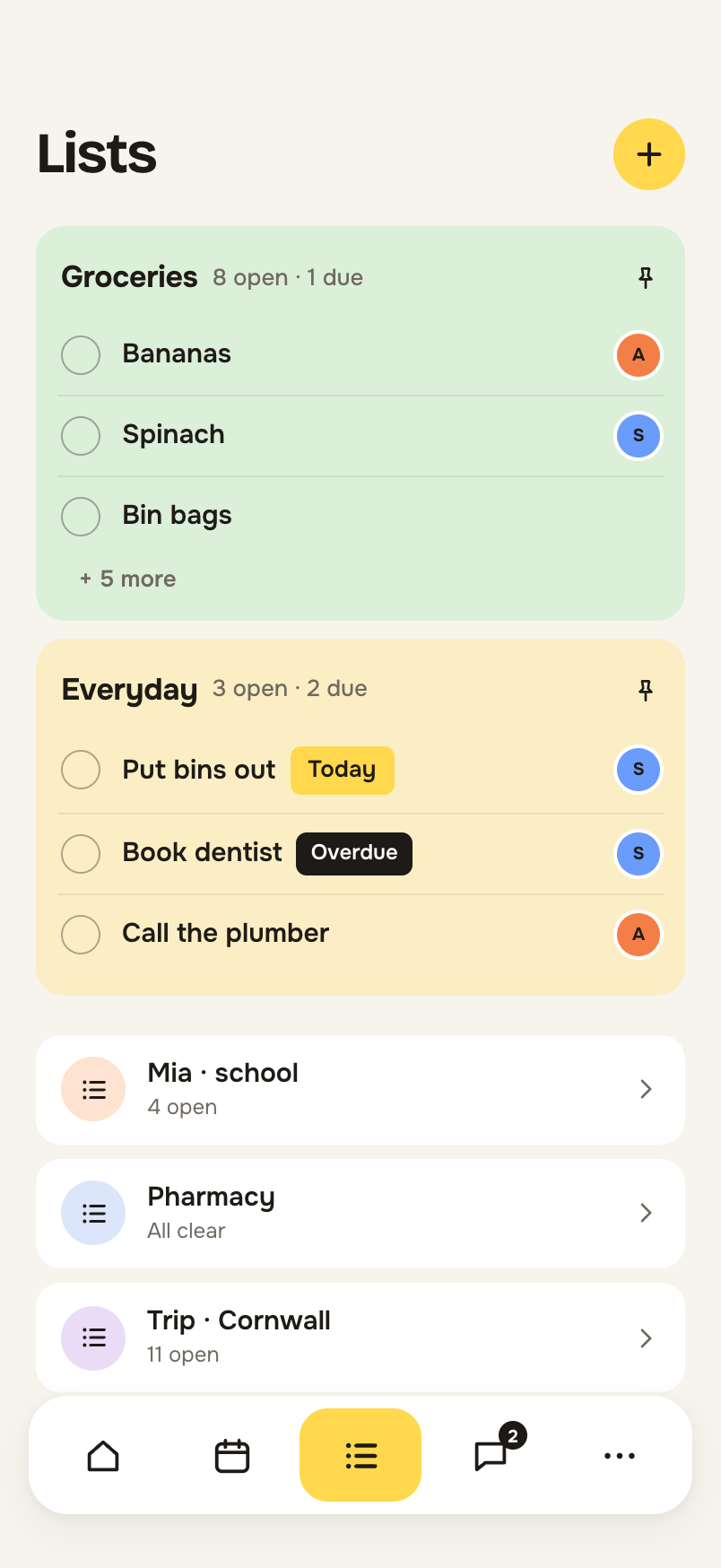
Milk, ticked off by Mia at 12:25.
Groceries, chores, the half-term packing list. Anyone can add or tick, and every ticked item shows who did it and when.
Give it to someone
Put Sam’s name on “bins out Wednesday” and it’s Sam’s. Ticked the wrong thing in the shop? Put it back.
Pin the list you need
Pinned lists show their first items on top, so the shopping is the first thing you see in the supermarket.
Whoever you live with.
Families
Put the school run on the calendar and the packing list with whoever’s going.
Couples
See each other’s busy times and keep one shopping list between you.
Flatmates
Give the bins to Sam and log who paid for the loo roll.
Two homes
Be in your own household and your parents’ at once, each with its own calendar, lists and chat.
Shared, not tracked.
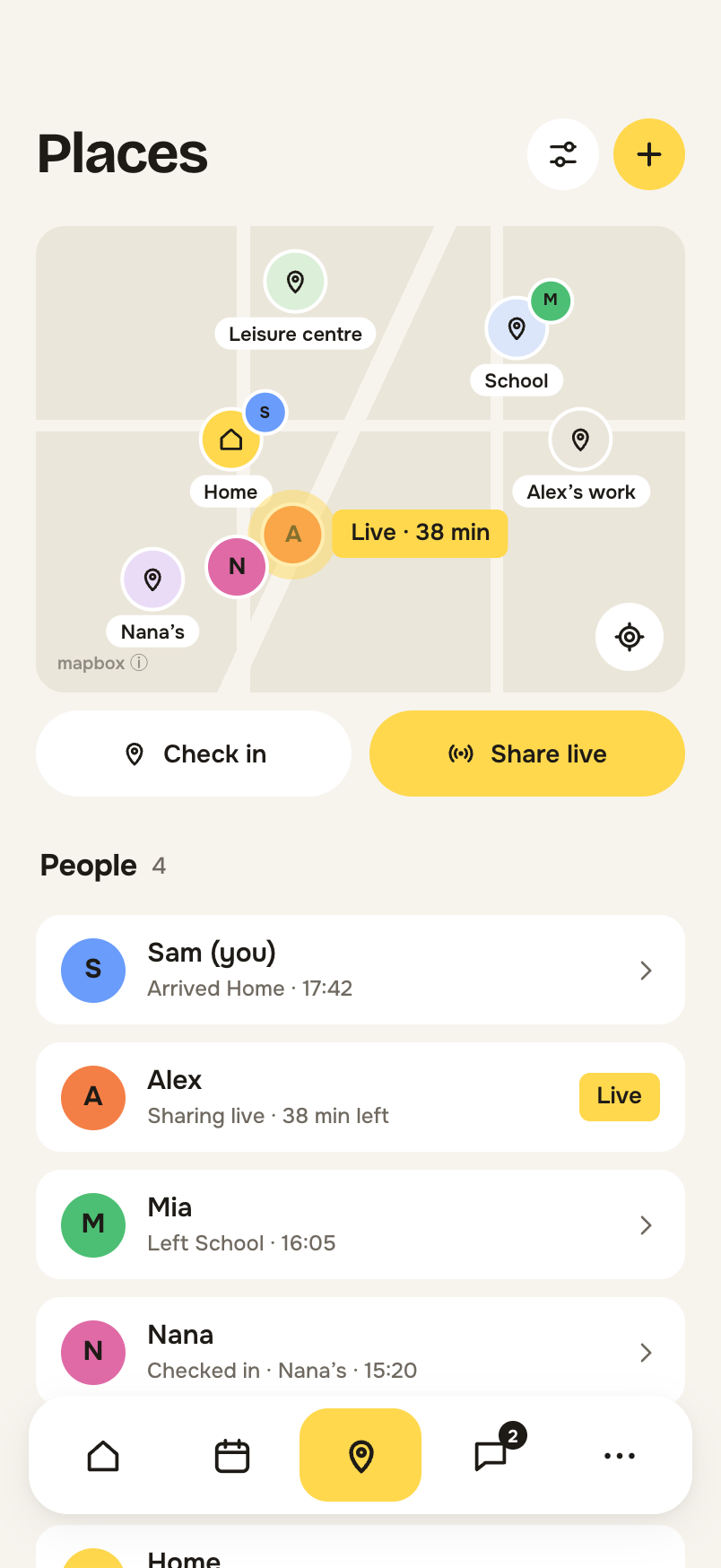
Save home, school and work. The household gets an alert when someone arrives or leaves, even with the app closed.
Choose the kind of sharing
Check in once with one tap, or ask someone to check in. Live sharing stops after 15 minutes, 1 hour or 3 hours.
Know what stays visible
With “Share while using” on, your last-seen position updates while Hemily is open. Arrivals, check-ins and last-seen positions expire after 48 hours.
One chat everyone’s already in.
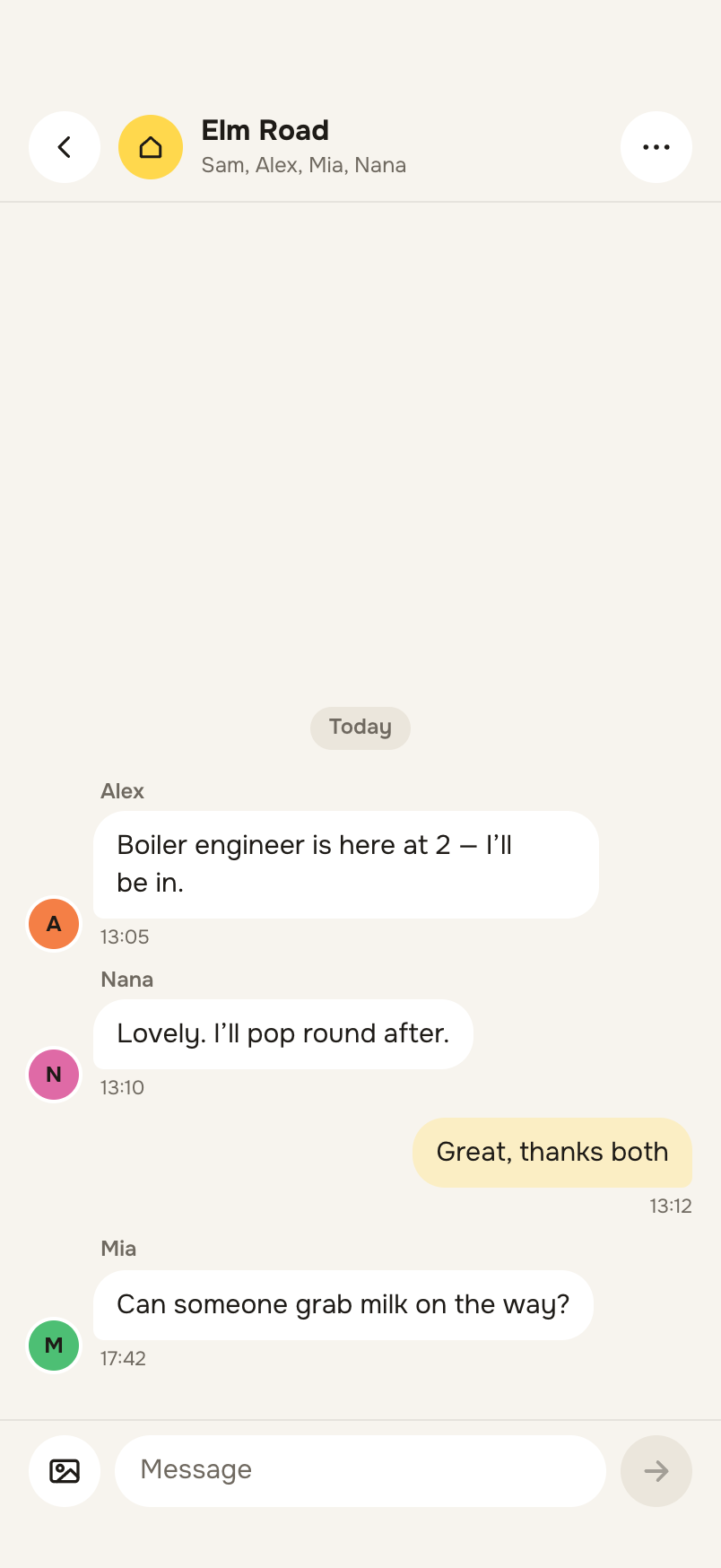
The household chat is there from the first day, and nobody can leave it. Start direct chats and small groups for the rest.
Ten photos at once
Send text and up to ten photos at a time: the leak under the sink, the receipt, three options for the sofa.
Room for the actual conversation
The dentist goes in the calendar and the bin bags go on the list, so the chat keeps the “running ten minutes late” messages.
Dinner’s ready. Hold to say it.
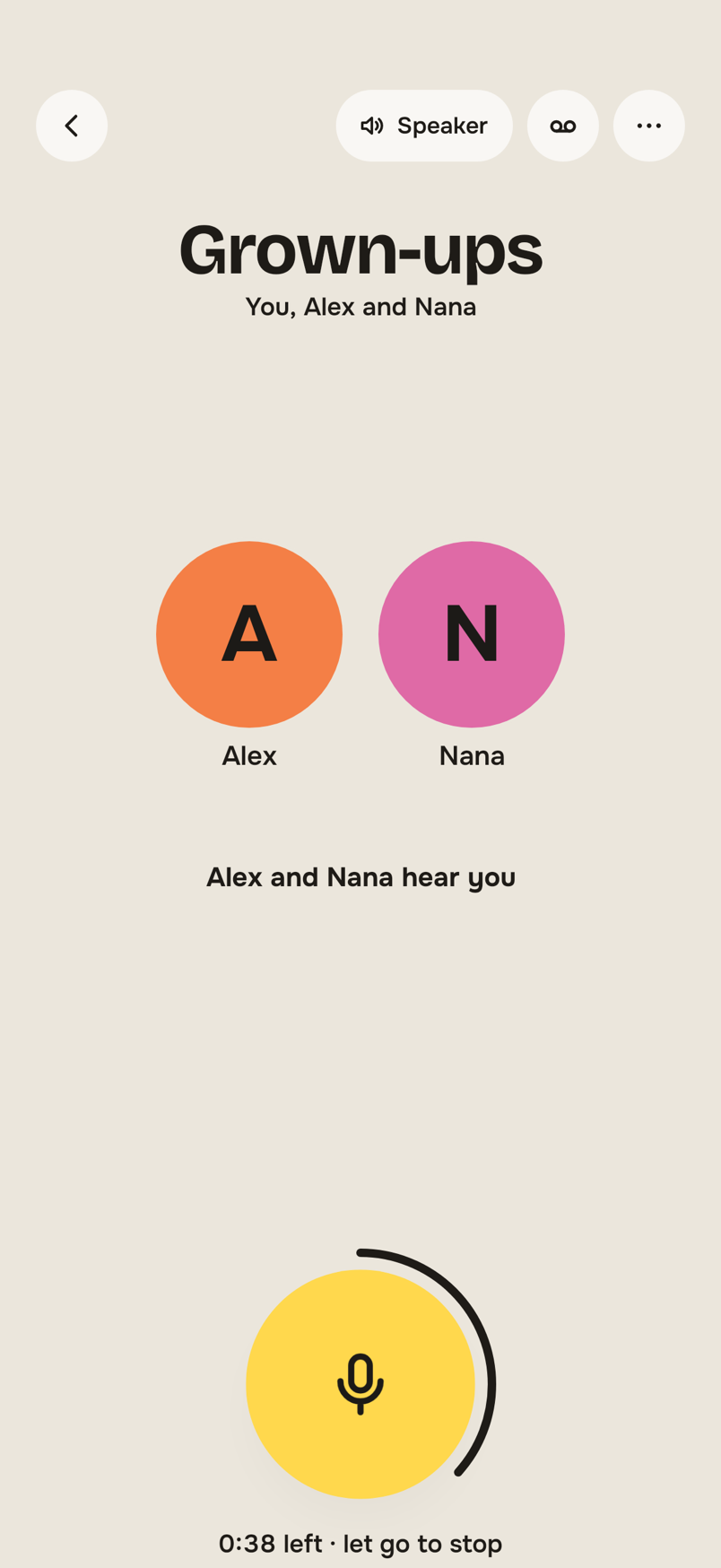
A walkie-talkie in your phone. Hold to talk to everyone in the room, whether that’s the household, a group or one person.
Speak while you hold
Talk live for up to 60 seconds per hold. Live talk is never recorded or stored. Talkie works in the phone apps.
When the room is empty
Send a notification to call people in, or leave a voicemail of up to two minutes.
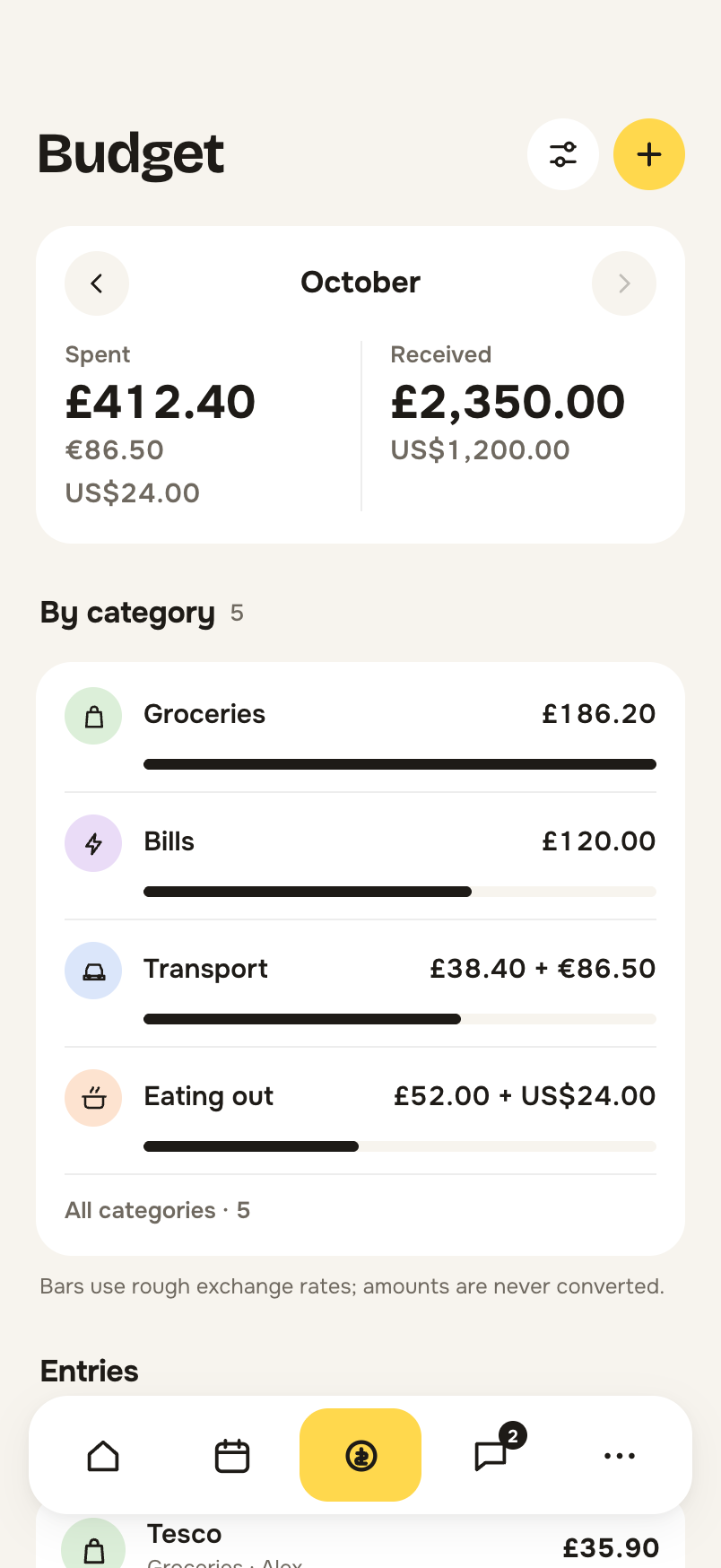
Who paid for what, logged in seconds.
Log a spend or an income with whose money it was. Rent and bills that repeat weekly, monthly or yearly log themselves.
Every currency as spent
Euros on holiday, pounds at home. Monthly totals stay separate per currency, exactly as spent.
Your bank stays out of it
Hemily never connects to a bank account. It records what came in and went out and whose it was. It doesn’t work out who owes whom.
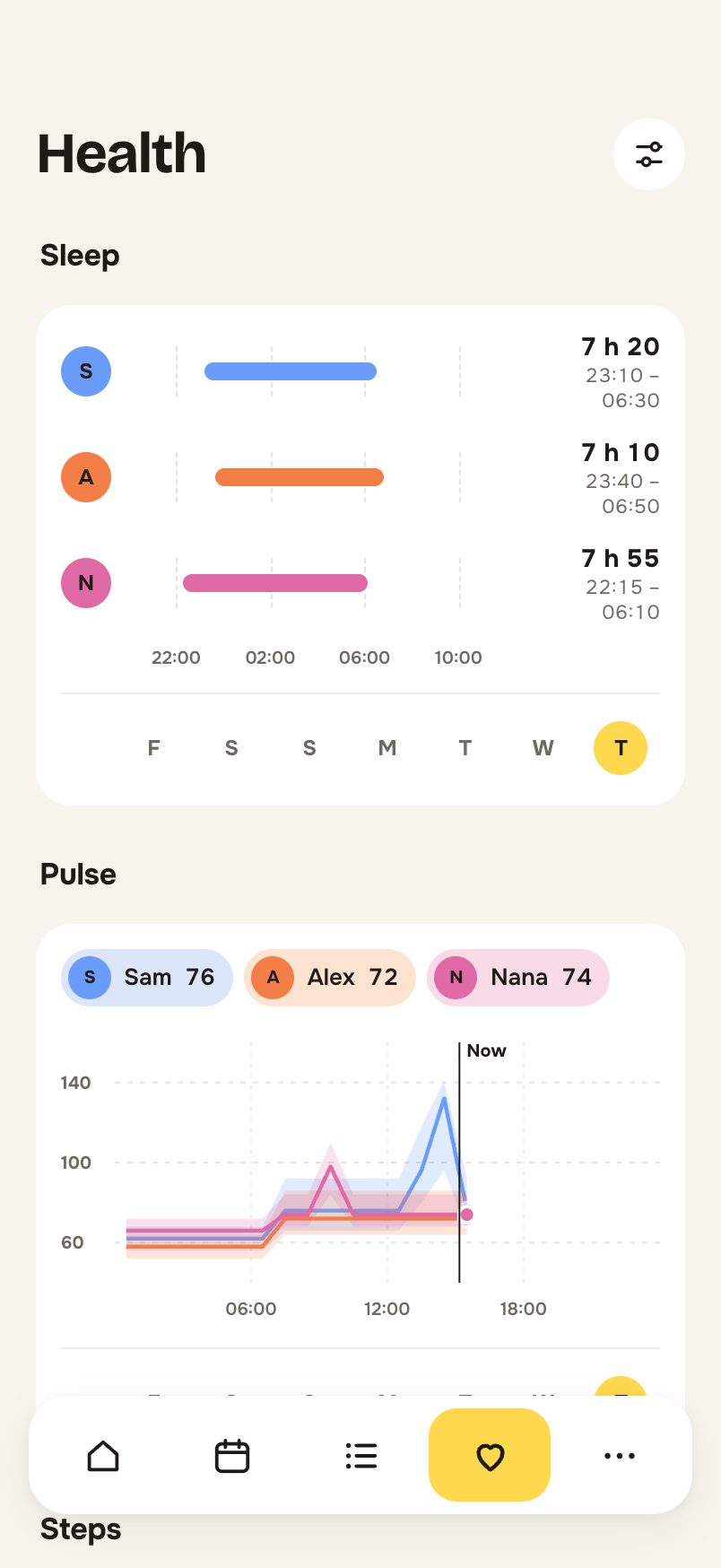
Know Mum slept, without the third call.
Share the sleep, pulse and steps that Apple Health or Health Connect already has, with the households you choose. It’s off until you connect it.
One notification after a fall
If Apple Health records a fall from an Apple Watch, the people you share Health with get one notification, sent only within 30 minutes of the fall. Anyone can close it.
A week at a glance
The household sees the week, a colour per person. Hemily is not a medical device and doesn’t diagnose or treat anything.
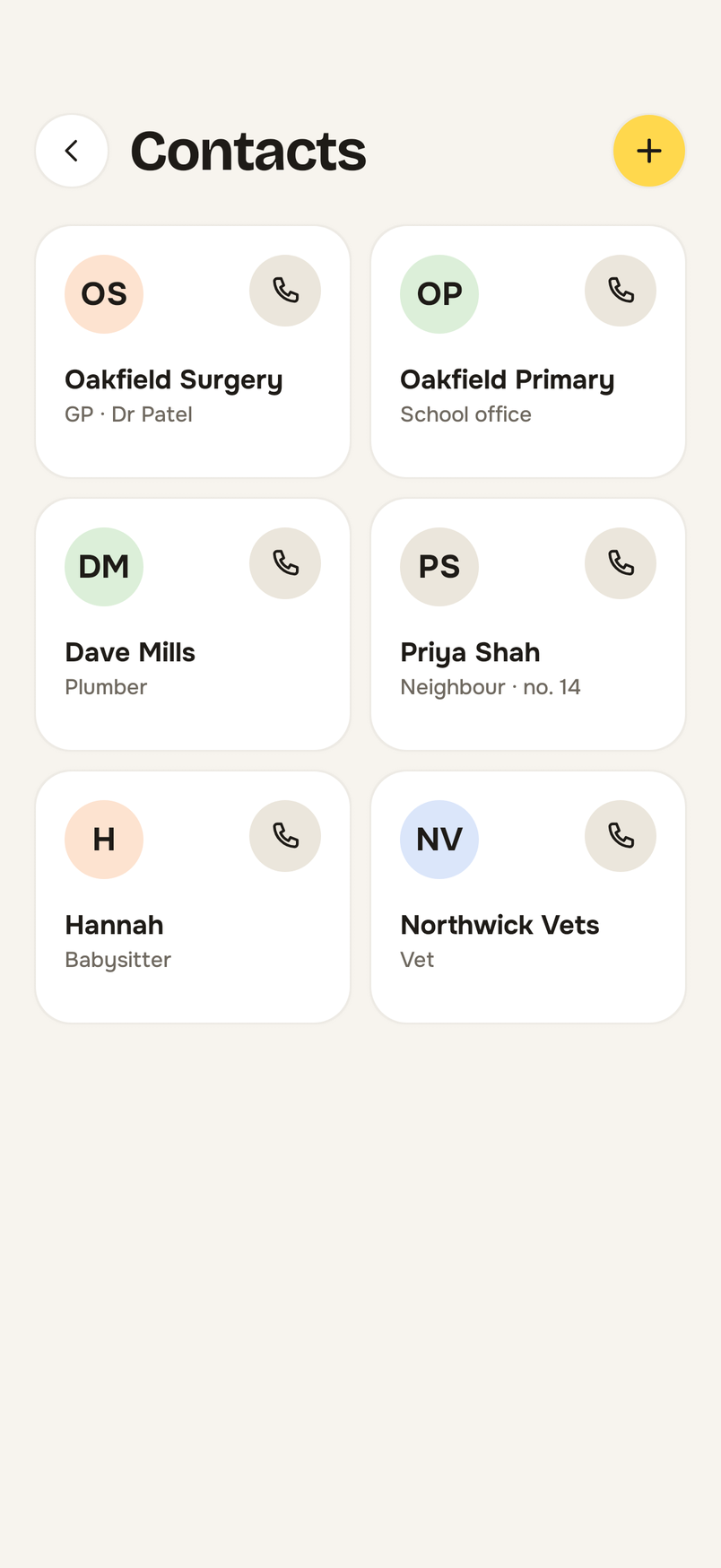
The numbers on the fridge, on every phone.
The GP, the school, the plumber, the babysitter, the vet. Every number the household needs, one tap to call.
Pick a few, keep the rest private
Choose the numbers you want from your phone without giving Hemily access to all your contacts.
Whoever finds the plumber saves the number
Anyone in the household can add a number, so the good electrician isn’t stuck in one person’s phone.
What we keep, and for how long.
Locations: 48 hours
Arrivals, check-ins and last-seen positions expire after 48 hours. Live sharing stops when its timer runs out.
Talkie: live talk never kept
Live talk is never recorded. A voicemail goes 24 hours after each person plays it, or after 7 days unplayed.
Deleted by mistake: 24 hours
Most deleted items can be restored for 24 hours, and saved places for 48.
Your account: 30 days
Delete it in More › You › Delete account. You have 30 days to change your mind.
Questions.
What is Hemily?
Hemily is a family organiser for the people you live with: a family, a couple, flatmates or several generations. Everyone shares a calendar, shopping and chore lists, a chat, contacts and a money log, with optional place alerts, health sharing and Talkie, a push-to-talk walkie-talkie. It runs on iPhone, Android and in a browser at hemily.app.
Can iPhone and Android users share a household?
Yes. One household can mix iPhones and Android phones. People start or join a household in the phone app, then anyone can also sign in at hemily.app in a web browser with the same account. Talkie, the push-to-talk walkie-talkie, works only in the phone apps.
How do people join my household?
Start a household in the iPhone or Android app and share its six-character code. Each code works once and lasts 48 hours, so send a fresh one to each person. Once they join in the app, they can add, edit and tick in the household straight away, from the calendar to the shopping list.
Can I be in more than one household?
Yes. One account can belong to several households, for example your own flat and your parents’ home. Each household has its own people, calendar, lists and chat, so your flatmates never see your parents’ plans and the weekly shop for one home stays off the other’s list.
Who can change or delete things?
Everyone in a household can add, edit and tick. The longest-standing member is the owner and can remove people from the household. If something is deleted by mistake, most items can be restored for 24 hours and saved places for 48 hours.
Does Hemily sync with the calendar on my phone?
You can share events from your phone’s calendars into Hemily. It’s one way: Hemily never changes your phone calendars. Shared events refresh when you open the app and when your phone allows background refresh. For each household you choose whether it sees event titles or just “Busy”. Calendar files (.ics) import as one-off copies.
Do I have to share my location?
No. Places is optional and stays off until you give location permission. If you turn it on, the household gets an alert when you arrive at or leave a saved place, such as home or work, even with the app closed. Live location is separate: you start it for 15 minutes, 1 hour or 3 hours, and it stops itself.
Does Budget connect to our banks or split bills?
Budget is a household spending and income log. You enter whose money it was, set repeating entries and see monthly totals per currency. It keeps each currency as spent. There is no bank connection, and Hemily does not calculate who owes whom or settle payments.
What is Talkie, and is it recorded?
Talkie is a walkie-talkie in the Hemily phone apps. Hold the button to talk for up to 60 seconds and everyone in the room hears you live. Live talk is never recorded or stored. A voicemail disappears for each person 24 hours after they play it, or after seven days unplayed.
Does Hemily detect falls?
Hemily doesn’t detect falls itself. If someone shares Health and their Apple Watch records a fall through Apple Health, the people they share Health with get one notification, sent only within 30 minutes of the fall. Anyone can close it. Hemily is not a medical device and does not diagnose or treat anything.
Where is my data stored?
Hemily’s database is in Sweden, in the EU. Sign-in, notification, crash-report and map providers may process some data elsewhere. Hemily shows no ads and never sells your data. You can delete your account in More › You › Delete account, and you have 30 days to change your mind.
Three steps.
Start a household
Get Hemily and create a household for the people you share the everyday jobs with.
Invite the others
They join with a six-character code. Each code works once and is valid for 48 hours.
Put one real thing in it
Add tomorrow’s school pick-up or the milk. Everyone can add to the calendar and lists.

Put the plan where everyone can see it.
Start a household tonight. The next “what time’s pick-up?” can go to the calendar.
